How can we help?
Step-by-step guides to set up and use Nuvia.
Browse by topic
Getting Started
Start using the platform by setting up your account and preferences, and build your first workflow step by step.
- Quick guide: Nuvia platform overview
- How to test your agent for the first time at the end of onboarding
- How the Nuvia trial period works
- How to create your account and log in to Nuvia for the first time
Search
Find qualified leads with advanced filters and free search to discover ideal people and companies, organize results and add them to campaigns in a few clicks.
- How to use Search
- How to use advanced filters in Search
- How to search by LinkedIn URL
- How to add search results to a campaign
Lists
Structure your lead base: manage imported lists or enriched objects and activate this data in campaigns.
- How to manage lists and contacts
- How to enrich contacts in a list
- How to use the Lists, People, Companies and Conversations tables
- How to view and export conversations
Campaigns
Connect with your ideal prospects by sending sequences and personalized messages and tracking results.
- How to create and launch a multichannel campaign in Nuvia
- How to set up dynamic audiences for campaigns
- How to pause and reactivate a campaign
- How to interpret campaign metrics
Conversations
Bring all conversations into a single inbox: manage WhatsApp and LinkedIn messages, track history and work with your team (human or AI agents) with full context.
- How to use and assign conversations
- How to send audio, images, documents and media from the Inbox
- How to filter and sort the conversation queue in Nuvia
- How to distribute conversations among agents (Conversation distribution)
Pipeline and Smart Funnels (AI agents)
Manage your entire sales funnel with AI: see leads in a real-time pipeline while smart agents run conversations, qualify opportunities and move stages forward automatically.
- How to control which stages and situations trigger follow-ups
- How to create custom skills for the AI agent
- How to write the agent's goal, knowledge, and communication pillars
- How to write the instructions for a stage
Dashboards
Learn how to track metrics, analyze results and use your dashboards to make more strategic decisions.
- How to use Nuvia's data Dashboards (customer service, campaigns, funnel)
- How to read the Nuvia Funnel dashboard
- How to track send failures (in the conversation and in the campaign)
- How to export Dashboard reports in Nuvia
Channels
Connect and manage your communication channels in one place.
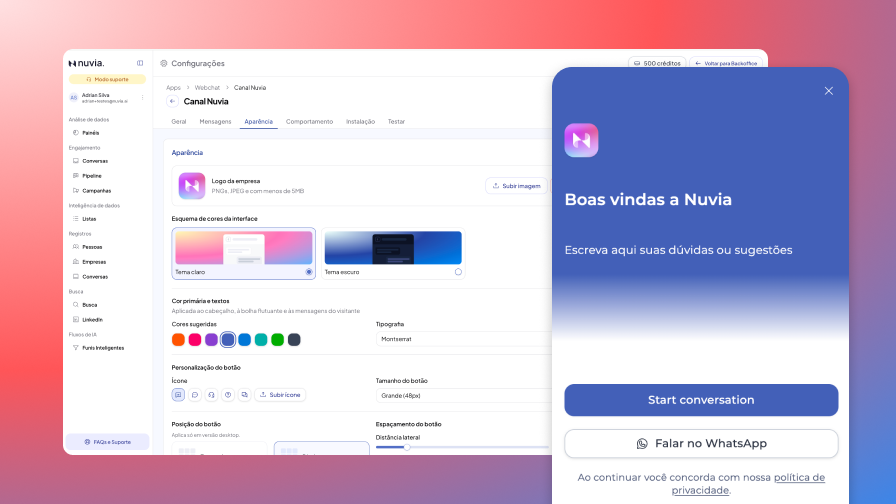
- How to turn on and use Webchat on your website
- Understanding WhatsApp rules: 24h and 72h windows and templates
- How to sync Nuvia conversion data with Meta (CAPI)
- How to migrate a WhatsApp number from another platform to Nuvia
Integrations
Connect the platform with other tools and systems you use every day.
- How to set up the HubSpot integration
- How to sync contacts and deals between Nuvia and HubSpot
- What Nuvia syncs with HubSpot and when
- How to map fields between Nuvia and HubSpot
Account Settings
Manage users, data, billing or general settings to customize your account.
- How to turn on two-factor authentication (MFA)
- How to set your availability (Away or Unavailable)
- How to manage API keys in Nuvia
- How to deactivate and reactivate a user
Nuvia MCP
The MCP connects your AI assistant to Nuvia, so you can query and update your company's data right in the conversation, without opening the platform.
- How to connect the Nuvia MCP
- How to create and edit Smart Funnels through MCP (Agent Builder)
- Nuvia MCP tools reference
- How to use the MCP Audit
What changed in Nuvia
Nuvia Updates — October 2026 (Oct 19 to Nov 1)
This week brought more control over who the AI reaches out to, a Webchat that also talks and more organized customer service for your team.
Nuvia Updates — October 2026
A new navigation with customer service at the center: Conversations and Smart Funnels are front and center, and Settings now has its own area with search.