What WhatsApp order status updates are
A WhatsApp order status update is the automatic message a store sends when an order moves to a new stage: payment approved, invoice issued, shipped, delivered. It comes from the store system, not from someone copying tracking numbers by hand.
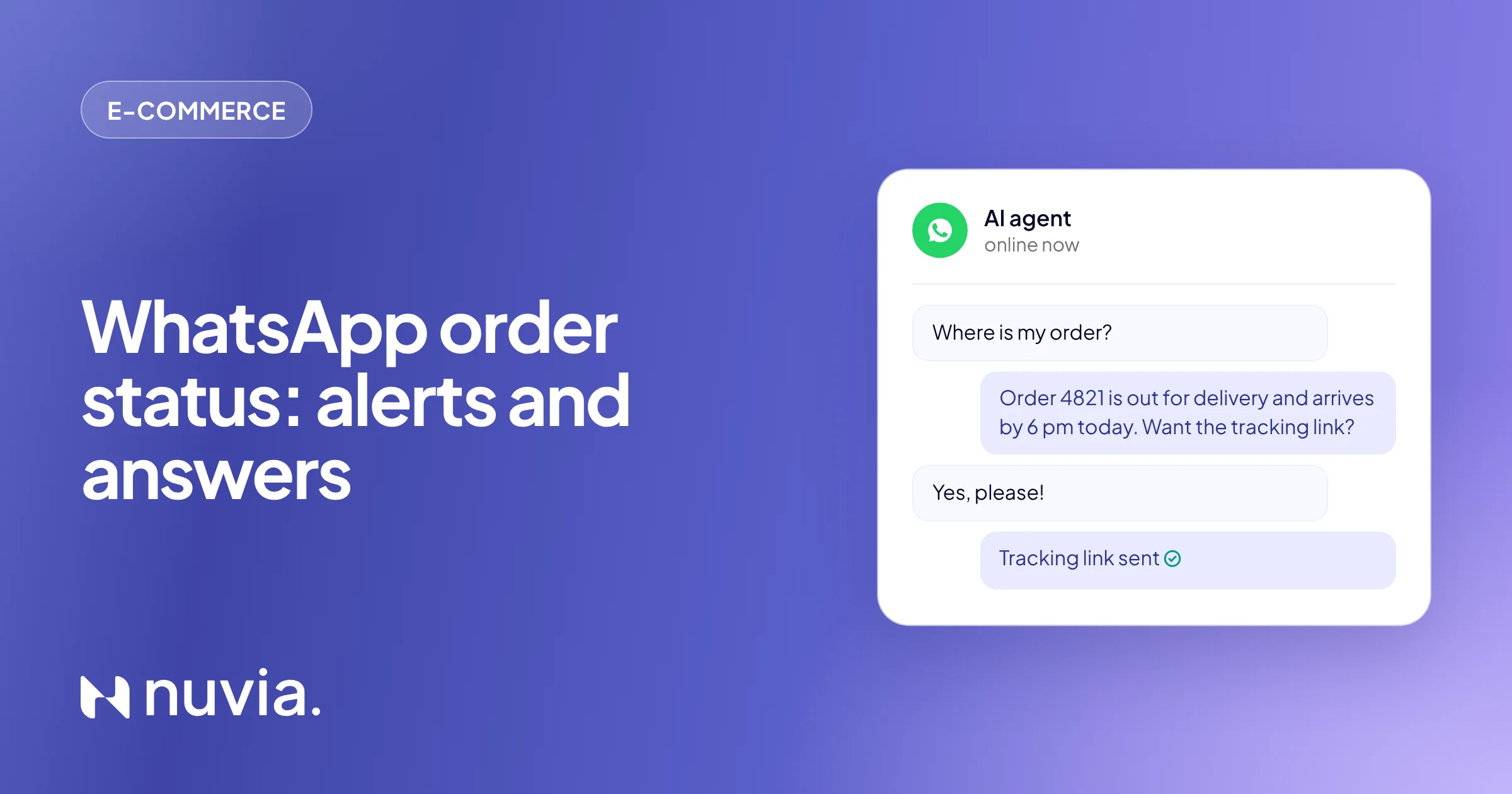
The update solves half the problem. The other half is the question that arrives anyway: “where is my order?”, “did my payment go through?”, “can I swap the size?”. In e-commerce, these questions flood support on the busiest sales days. That is why a good order status setup has two parts:
- One-way update: the store announces each stage before the customer asks.
- Answer in the chat: when the customer replies, an AI agent looks up the order and answers with real store data.
Which order updates to send at each stage
Send one update per change that matters to the customer, not one per internal system status. Seven moments cover the journey of almost any store:
| Moment | Trigger | What the message includes | Meta category |
|---|---|---|---|
| Order placed | Order created in the store | Order number, items, total and estimated delivery | Utility |
| Payment pending | Order awaiting payment (bank slip or instant payment) | Payment code or link, with the due date | Utility |
| Payment approved | Payment confirmed | Confirmation and next step (picking and invoice) | Utility |
| Shipped with tracking | Order invoiced and handed to the carrier | Invoice link, tracking number and tracking link | Utility |
| Out for delivery | Carrier tracking event | Delivery day and who can receive it | Utility |
| Delivered | Delivery confirmed | Confirmation and a “did everything arrive OK?” | Utility |
| Exchange or return | Return request opened or approved | Deadline, return label code or store credit | Utility |
Delays deserve a message too. If the carrier changes the date, tell the customer before they notice: it is the message that prevents the most complaints.
How much WhatsApp order notifications cost
Each order status update is a utility template. For Brazilian numbers, it costs R$ 0.035 (US$ 0.0068) per delivered message, based on Meta’s official rate card in effect since October 1, 2026 (checked on October 28, 2026). A marketing template costs R$ 0.3217 (US$ 0.0625), so the right category makes a real difference at the end of the month.
| Message | Meta category | Price in Brazil |
|---|---|---|
| Order, payment, shipping and delivery updates | Utility | R$ 0.035 (US$ 0.0068) per message |
| Replies from the AI agent or the team within 24 hours of the customer’s message | Service | R$ 0.035, with 1,000 free per month per number |
| Coupon or offer added to the update | Marketing | R$ 0.3217 (US$ 0.0625) per message |
The full rate card, with utility volume discounts and a monthly cost simulation, is in our guide to WhatsApp Business API pricing.
Utility template rules
Meta approves every template and checks its category. To keep the update classified as utility:
- Refer to an order the customer placed, with the order number as a variable.
- Leave offers, coupons and “don’t miss out” out of it. A utility template with promotional content can be reclassified as marketing.
- Ask for opt-in at checkout (“send me order updates on WhatsApp”) and keep a record of that consent.
- Use variables instead of fixed data: {name}, {order}, {tracking}, {date}.
Ready-to-use order status message templates
Replace what is in braces with your store data and submit each one as a utility template. End with a question or a button: a reply opens the 24-hour window, and the AI agent handles the rest.
Order placed and payment
- Order placed: “Hi {name}! We got your order {order}: {items}, total {amount}. I’ll let you know here as soon as the payment is approved.”
- Payment pending: “{name}, the payment for order {order} expires in {time}. Here is the code to pay: {payment_code}”
- Payment link: “Your payment link for order {order} is due on {date}: {link}. Need another method? Just reply here.”
- Payment approved: “Payment approved! Order {order} is being packed. The invoice and tracking will arrive here.”
Shipping and delivery
- Shipped with tracking: “{name}, order {order} has shipped with {carrier}. Tracking: {code}. Follow it here: {link}. Estimated delivery: {date}.”
- Out for delivery: “Your order {order} is out for delivery today. If no one will be home, reply here and I’ll help.”
- Delay: “{name}, the carrier updated the delivery date for order {order} to {new_date}. Sorry for the wait. Want me to keep an eye on it and let you know?”
- Delivered: “Order {order} was delivered. Did everything arrive OK? If anything is not right, tell me here.”
Exchanges and returns
- Return opened: “We received your exchange request for {product}. Use code {return_code} to ship it by {date}.”
- Store credit: “{name}, your store credit of {amount} is ready: {code}. It is valid until {expiry}.”
How to connect your store and ERP to WhatsApp
Updates only go out on their own if the status change reaches WhatsApp. With the store connected to Nuvia, each platform event triggers the right message, and the AI agent reads the same order to answer questions:
| Platform | What triggers the update | What the AI agent looks up in the chat |
|---|---|---|
| VTEX | Status change in the OMS: payment approved, invoiced, in transit | Status, invoice and tracking; creates store credit |
| Shopify | Order shipped with a tracking number | Order and tracking; opens a return request |
| Nuvemshop | Tracking events: out for delivery, delayed, delivered | Order, tracking and delivery estimate |
| Tray | Order awaiting payment and order shipped | Order, tracking and invoice; resends the payment link |
If the status lives in your ERP or the carrier’s system, the connection goes through the API and webhooks: the system reports the change, and Nuvia sends the template. See how each platform works in WhatsApp for e-commerce.
 VTEX
 Shopify
 Nuvemshop
 Tray
 WhatsApp
The AI agent that answers “where is my order”
The AI agent answers “where is my order?” right away because it looks up the order in the store platform instead of sending the customer to a queue. It finds the customer by phone, tax ID or email and replies with the real status:
The customer asks
“Where is my order?” arrives on WhatsApp, at any time.
The agent identifies
Finds the customer by phone, tax ID or email and lists their orders.
The agent looks it up
Reads status, invoice and tracking in the store platform. Dates come from the store, never made up.
The agent answers
Sends the status, tracking link and estimate in a single message.
The team steps in when needed
Delays, complaints and business orders go to a person, with a summary of the chat.
The rules live in the Agent Builder: brand tone, return window, what to do about delays and when to call the team. The same agent that answers order status also helps shoppers who have not bought yet: the abandoned cart message sequence uses the same integration.
Automatic updates only
- Announces shipping, but questions go to the queue
- An agent opens the platform to copy the tracking code
- After hours, the customer waits until the next day
- Returns start by email
Updates + AI agent
- Announces shipping and answers questions right away
- The AI agent looks up the order on its own
- Answers 24/7, weekends included
- Returns start in the chat, with the store’s rules
After Black Friday: delays and returns
The peak of “where is my order?” comes right after Black Friday, when carriers fall behind and returns start. Plan your order status updates together with the campaign:
Before the order peak
- Utility templates approved for every moment, including delays and returns.
- WhatsApp opt-in at checkout, so every new order gets updates.
- Automatic delay message when the carrier changes the date.
- Return rules and deadlines updated in the AI agent.
- A team member on call for complaints and sensitive cases.
- A payment method on the Meta account, so replies don’t stop after the 1,000 free ones.
The Black Friday WhatsApp checklist shows the full timeline, from the VIP list to after-sales.
Results in practice
Peak dates show the difference. At Chocolat du Jour, the AI agent handled the Easter rush: 25,000 conversations in 8 days, 91% of them handled by AI, and twice the revenue on WhatsApp.

Customer service and reactivation of a historical customer base. At the Easter peak, WhatsApp demand grew fivefold and the channel doubled its revenue, with quality in sales and after-sales.
Read the storyFrequently asked questions
How do I send order status updates on WhatsApp?
Connect your store to the official WhatsApp API and create a utility template for each order stage: placed, payment, shipped with tracking, out for delivery and delivered. Each status change in the platform triggers the update, and an AI agent answers the questions that come after.
Which order notifications should I send on WhatsApp?
The ones that answer the question before the customer asks: order placed, payment pending, payment approved, shipped with tracking, out for delivery, delivered and returns. Delivery delays should also be announced as soon as the carrier changes the date.
Do WhatsApp order notifications cost money?
Yes. On the official API, an order update is a utility template, which costs R$ 0.035 (US$ 0.0068) per delivered message in Brazil under Meta’s rate card in effect since October 1, 2026. Replies within 24 hours of the customer’s message include 1,000 free per month per number.
Can I send payment codes and payment links on WhatsApp?
Yes. An order awaiting payment triggers a template with the payment code or link, and a reminder can go out before it expires. If the customer asks, the AI agent resends it right in the chat.
Can customers ask “where is my order” and get an automatic answer?
Yes. An AI agent connected to the store finds the customer by phone, tax ID or email, looks up the order and replies with the status and tracking right away. Delays and complaints go to a person; see the e-commerce use cases.
How do I send VTEX order status on WhatsApp?
Connect VTEX to Nuvia: each status change in the OMS, such as payment approved, invoiced and in transit, triggers the update with the invoice and tracking. The AI agent also looks up the order to answer the customer; see the VTEX integration.
How do I reduce “where is my order” tickets?
Announce every order stage before the customer asks, including delays, and let an AI agent answer the rest with store data. That leaves the team with only complaints, tricky returns and sensitive cases.