Black Friday 2026 is on November 27 and Cyber Monday on November 30. If you sell to customers in Latin America, Europe, the UK or India, WhatsApp is where they ask questions before they pay. In the US, the same playbook works for text messages (SMS), and the templates below fit both channels.
WhatsApp or text messages for Black Friday?
Use the channel your customers already answer. Text messages reach any US phone; WhatsApp wins where it is the default messaging app and when the sale needs a conversation: sizes, shipping, payment, returns.
| WhatsApp (Business Platform) | Text messages (SMS) | |
|---|---|---|
| Best for | Stores selling in LATAM, Europe, the UK, India | US audiences |
| Format | Photos, carousels, buttons, catalog, two-way chat | Short text and a link |
| Consent | Opt-in to receive messages from your store | Prior express consent (TCPA in the US) |
| Cost | Per delivered template, by category and country | Per message segment, by carrier and provider |
| Replying at scale | An AI agent can answer every reply in the same chat | Replies usually go to a separate inbox |
Black Friday 2026 timeline
Start with your list and your templates: Meta approvals and messaging limit increases take days. Use Singles’ Day (November 11) as a dress rehearsal.
| When | Stage | What to do on WhatsApp |
|---|---|---|
| By Nov 8 | List and account | Merge opted-in contacts, build segments, verify your business with Meta, submit templates |
| Nov 9 to 15 | Rehearsal | Test the AI agent with real questions, measure response time, review conversations |
| Nov 12 | VIP list | Send the VIP list invitation, 15 days before the date |
| Nov 16 to 25 | Warm-up | Countdown for the list, contingency plan, a war room with owners for each metric |
| Nov 26 and 27 | Peak | Early access at midnight for the VIP list, staggered sends, queue checks every 2 hours |
| Nov 28 to 30 | Weekend and Cyber Monday | Abandoned cart, pending payment, last hours of the offer |
| December | Post-purchase | Order status, easy returns, repeat purchase, holiday shipping cutoff |
Black Friday WhatsApp checklist
Tick every item before November 25. Anything left out turns into a queue or a lost sale on the day.
Account and number
- Number on the official WhatsApp Business Platform (the WhatsApp Business app can’t handle bulk sends or several agents at peak).
- Business verified with Meta, to move past the starting limit of 250 contacts a day.
- Complete profile: hours, website, address and return policy.
- Number quality rating in green in Meta’s manager.
List, templates and campaign
- Only contacts who agreed to receive messages from your store.
- Segments ready: bought last Black Friday, abandoned cart, no purchase in 90 days, top customers.
- Marketing and utility templates approved, with buttons and a name variable.
- Sends staggered at the pace your team and AI agent can answer.
Service, shipping and payment
- AI agent connected to your catalog, shipping rates and orders.
- Handoff rule to your team, with a summary of the conversation.
- Shipping cutoff times published and in the AI agent’s instructions.
- Pending payment reminder before the payment link expires.
- Proactive updates: shipped, out for delivery, expected delay.
How to build and segment your list
Message only people who opted in, and segment by buying behavior, not by sign-up date. Meta rates your number by how people react: ignored or blocked messages lower your messaging limit right in peak week.
- Bought last Black Friday: gets the VIP invitation first.
- Abandoned a cart in the last 30 days: an offer on the item they left.
- No purchase in 90 days: a win-back message picked from their history.
- Top customers: early access and a personal coupon.
Offers based on purchase history are what get messages opened; see examples of AI-personalized offers and promotions.
Marketing vs. utility templates: cost and limits in 2026
Every message your store starts outside the 24-hour customer service window needs an approved template, and Meta charges per delivered template. Rates depend on the category and the customer’s country; the official rate card is on Meta’s developer site.
| Category | Black Friday example | How it’s charged |
|---|---|---|
| Marketing | VIP invitation, offer, coupon, last hours | Per delivered message; the most expensive category |
| Utility | Pending payment, order confirmed, shipped, delay | Per delivered message; since Oct 1, 2026, also when sent inside the service window |
| Service | Free-form replies when the customer writes first | Since Oct 1, 2026: 1,000 free per month per number, then charged |
See per-message rates by country and a monthly example in our WhatsApp Business API pricing guide.
Messaging limits: Meta caps how many unique customers your business can message outside the service window in 24 hours, across all numbers in your portfolio. The tiers are 250, 2,000, 10,000, 100,000 and unlimited. Business verification unlocks 2,000; higher tiers scale automatically when quality is high and you use at least half your limit over 7 days. That’s why warm-up starts in early November, not on the 26th.
Handling the rush with an AI agent
An AI agent answers everyone at once with your store’s data and hands your team only what needs a person. On Black Friday, that means:
- Finding the product from the customer’s description and checking stock.
- Quoting shipping and delivery time, including the cutoff.
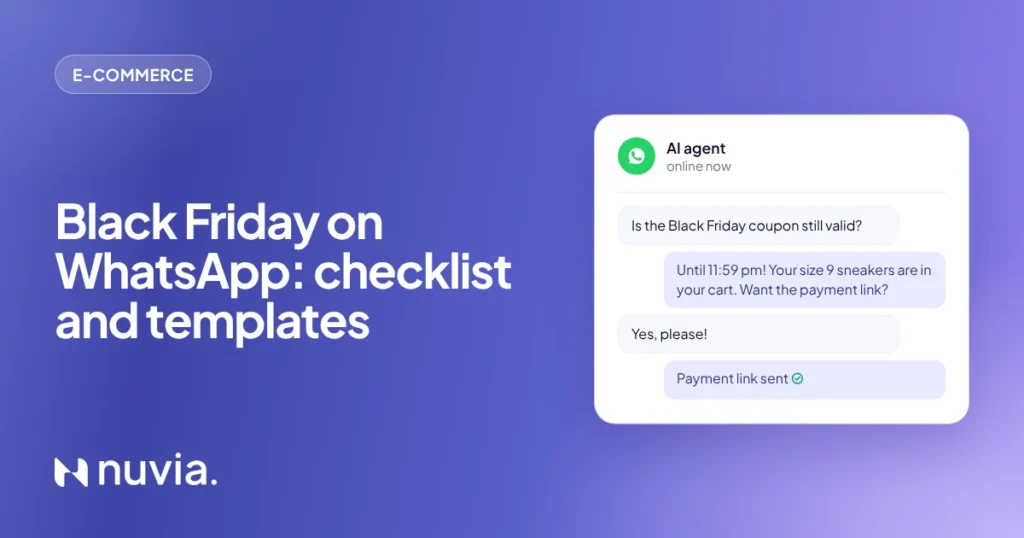
- Creating the order and sending the payment link in the chat.
- Answering order status and tracking without a ticket.
- Escalating exceptions with the summary and data ready.
Your team works the exceptions with AI and people on the same screen, seeing the whole conversation. If you are still comparing menu bots and AI, here is how AI agents for WhatsApp work.
At Nuvia, the Black Friday VIP list campaign runs in four steps: an invitation 15 days before, early access at midnight on the day, a carousel showcase with photos and buttons, and a last-hours reminder. Whoever replies talks to the AI agent, with the order at hand.
Abandoned carts and pending payments on Black Friday weekend
These two flows recover the most revenue over the weekend because the customer has already chosen the product. Turn both on before November 26 and stop the sequence as soon as the customer replies:
- Cart idle for 1 hour: a message with the items and the cart link, then a short reminder, then an email with photos and, if it makes sense, a coupon to close the same day.
- Order awaiting payment: the payment link ready to pay, a reminder before it expires, and the link again by email.
Both run as Nuvia multichannel campaigns, with WhatsApp, SMS, RCS, email and voice in the same sequence.
Black Friday text message templates for WhatsApp and SMS
Replace what’s in brackets. Offer messages are marketing templates; order and payment updates are utility templates. For SMS, keep them under 160 characters and add your opt-out line.
Before Black Friday
1. VIP list invitation (marketing, Nov 12)
Hi [name]! [Store]’s Black Friday starts on the 27th, but VIP list members shop first, at midnight, with full stock. Want in? Tap “Get early access”.
2. Countdown (marketing, Nov 24)
[Name], 3 days to go! Here’s a sneak peek of the [category you shop] deals. Tap “See the preview” and save your favorites.
On the day
3. Early access (marketing, Nov 27 at midnight)
You’re in, [name]! Black Friday prices are live for the VIP list. Tell me what you’re looking for and I’ll find your size and quote shipping right here.
4. Abandoned cart (marketing)
[Name], the [product] is still in your cart at the Black Friday price. Want me to send the payment link so you can check out now?
5. Pending payment (utility)
[Name], your order [number] is on hold for you. The payment link expires at [time]; tap below to pay in one step.
6. Shipping cutoff (utility, for customers who ordered)
Order [number] confirmed! Payments made by [time] today ship tomorrow. I’ll let you know here when it’s out for delivery.
7. Cyber Monday, last hours (marketing, Nov 30)
Last hours of Cyber Monday at [store]: deals end tonight at 11:59 pm. Questions about size or delivery? Reply here and I’ll sort it out.
After Black Friday
8. Delivery check and returns (utility)
[Name], did your order arrive OK? If you need an exchange, you can do it right here: send me your order number and the reason.
9. Holiday shipping (marketing, December)
[Name], the holidays are coming! Orders placed by [date] arrive in time. Want me to pick something that goes with what you bought on Black Friday?
After Black Friday: returns, repeat purchases and the holidays
The work doesn’t stop on Cyber Monday. In December, WhatsApp becomes your channel for status, returns and repeat purchases:
- Proactive delivery updates: shipped, out for delivery and expected delays, before customers ask.
- Returns without a queue: the AI agent opens the exchange with the order number and reason.
- Holiday shipping: guaranteed delivery dates for Black Friday buyers and cross-sell for what goes with their order.
- Repeat purchase: the same item when it’s running out, for replenishment products.
An AI agent connected to Shopify, VTEX, Nuvemshop and Tray
Nuvia connects its AI agent to Shopify, VTEX, Nuvemshop or Tray and uses your store’s data to sell, support and retain customers on WhatsApp. An idle cart, a pending payment or the end of a purchase cycle puts each customer in the right campaign, and whoever replies talks to the AI agent with the order at hand. See how the e-commerce integration works.
Frequently asked questions about Black Friday on WhatsApp
How do I use WhatsApp for Black Friday?
Use it at three moments: a VIP list invitation about two weeks before, sales and support at peak with an AI agent, and post-purchase updates, returns and repeat orders. Send offers only to opted-in customers, with templates approved by Meta.
When should I start my Black Friday WhatsApp campaign?
Start 3 to 4 weeks ahead. For 2026, have your list and templates ready by November 8, send the VIP invitation on November 12 and use November 11 as a rehearsal, since Black Friday falls on November 27.
How much does it cost to send Black Friday messages on WhatsApp?
It depends on the category and country: Meta charges per delivered template, and marketing is the most expensive. Since October 1, 2026, service messages are also charged after 1,000 free per month per number.
Is there a limit on how many WhatsApp messages I can send?
Yes. Meta caps how many unique customers you can message in 24 hours: 250, 2,000, 10,000, 100,000 or unlimited. Business verification unlocks 2,000, and higher tiers grow with good quality and usage.
Should I use WhatsApp or text messages for Black Friday in the US?
Use text messages for broad US reach and WhatsApp for customers who already chat with you there or live where WhatsApp is the default app. Many stores run both in one sequence and stop it when the customer replies.
How do I handle the Black Friday message rush without a queue?
Use an AI agent connected to your store that answers everyone at once, finds products, quotes shipping and sends payment links. Your team handles only the exceptions; see the AI use cases for e-commerce.