

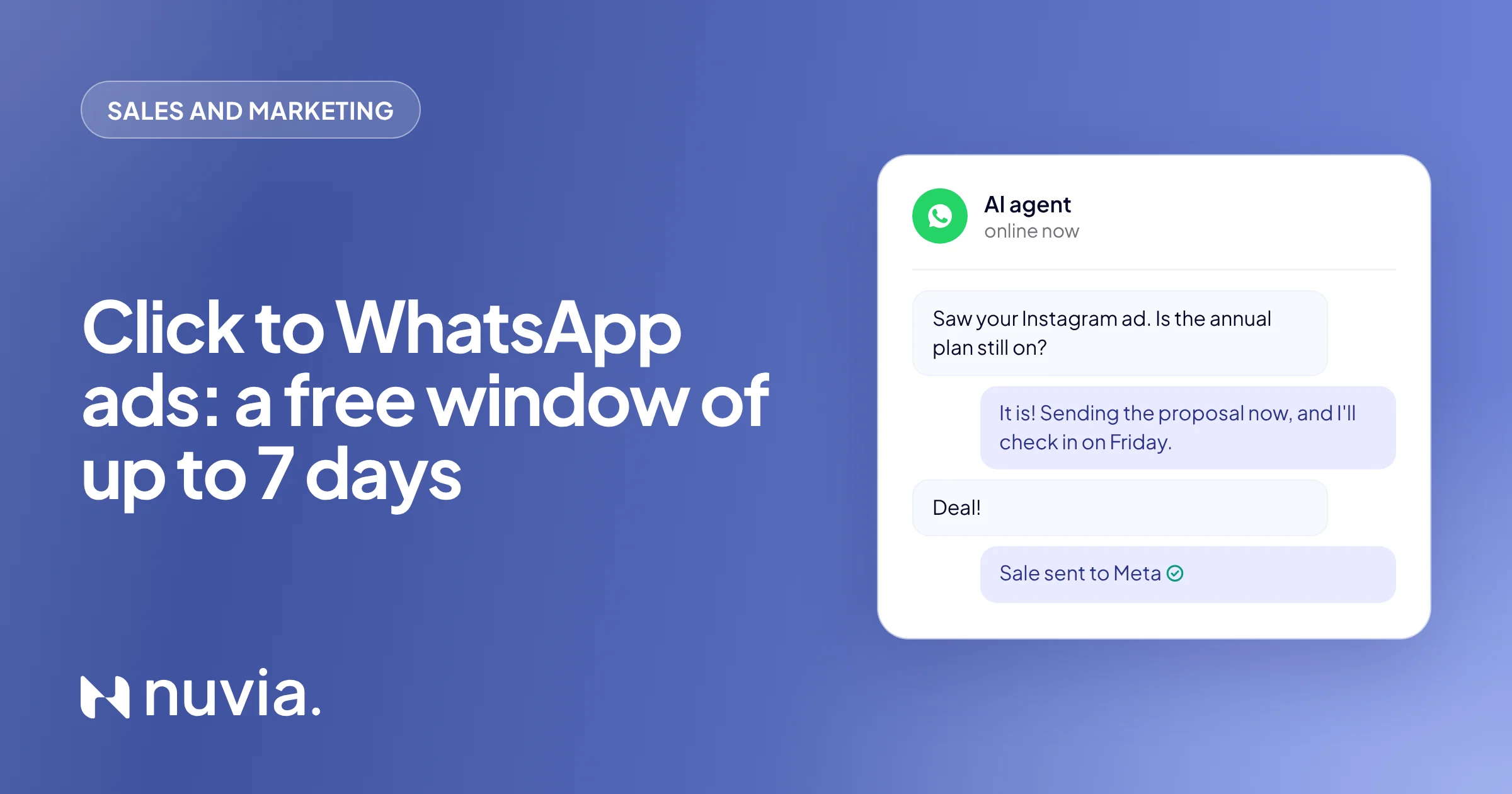
What are Click to WhatsApp ads
Click to WhatsApp ads are a Meta ad format, created in Ads Manager, where the ad button opens a WhatsApp conversation instead of sending people to a website or a form. Someone sees the ad on Instagram or Facebook, taps “Send message” and lands in the business chat, often with a pre-filled message. Reports and customer service platforms use the acronym CTWA.
Don’t confuse them with a wa.me link, WhatsApp’s own “click to chat”. The link is free and lets anyone open a chat with your number. A Click to WhatsApp ad is paid, has targeting and, on the official API, opens the free messaging window explained below.
What changed in the free ad window
The free window for conversations that start from a Click to WhatsApp ad can last up to 7 days since September 28, 2026. Before, it was 72 hours. Inside it, Meta does not charge for the messages the business sends, in any category, and no template is required.
| Before | Since Sep 28, 2026 | |
|---|---|---|
| Length of the free ad window | 72 hours | Can last up to 7 days |
| Free messages inside it | Marketing, utility, authentication and service | Marketing, utility, authentication and service |
| Template required? | No | No |
Source: pricing documentation of the WhatsApp Business Platform, on developers.facebook.com (accessed November 3, 2026). The documentation says the window “may remain open for up to 7 days”, counted from the business reply.
How the free window works, step by step
The free window opens with the business reply, not with the click. This is the order:
The person clicks the ad
They send the first message from the WhatsApp app on their phone. This opens the 24-hour customer service window.
The business replies within 24 hours
That reply is not charged and opens the free window, which starts counting from it.
The conversation goes on at no charge
While the window is open, which can be up to 7 days, everything the business sends is free: answers, quotes, reminders, order confirmations.
The window closes
Regular per-message pricing comes back. To restart the conversation later, you need a paid template.
The detail that decides everything is step two: if nobody replies within 24 hours, the free window never opens. The ad was paid for, the lead arrived, and the benefit is gone. A lead who writes at 11 pm on Saturday and only gets an answer on Monday has already lost the window.
What qualifies and what doesn’t
The rule only applies to conversations that start from a Click to WhatsApp ad and are handled through the official API (WhatsApp Business Platform).
- It applies to ad-initiated conversations on the official API, when the person clicks from the WhatsApp app on their phone (Android or iPhone).
- It doesn’t apply to organic conversations that didn’t come from an ad. They follow the regular pricing rules.
- It doesn’t apply to the WhatsApp Business app on a phone, without the API. See the differences in Is WhatsApp Business free?
- The ad is still paid. What’s free is the messaging inside the window, not the media.
- Messages from the customer are never charged, inside or outside the window.
When the window closes, Meta charges again per delivered message, at the category rate. The rates are in the guide WhatsApp Business API pricing.
Why an ad only turns into a sale with an instant reply
A Click to WhatsApp ad buys someone’s attention for a few minutes. If the reply is slow, the person has moved on to the next story, talked to another store or forgotten what they wanted. With the free window, waiting more than 24 hours also means losing the free week.
Three things separate an ad that drives sales from an ad that only drives chats:
- Reply right away, including nights and weekends, when many ads run.
- Follow up until the sale, inside the window, for people who ask on Tuesday and decide on Friday.
- Send the sale back to Meta, so the algorithm learns who buys and shows the ad to similar people.
See which ad brought the lead
In Nuvia, every conversation that starts from a Click to WhatsApp ad shows at the top which ad brought the lead: its title, description and source URL. Whoever handles the chat, the AI agent or a sales rep, knows right away if the person came from the Black Friday campaign or from a specific product ad, and starts on the right topic.
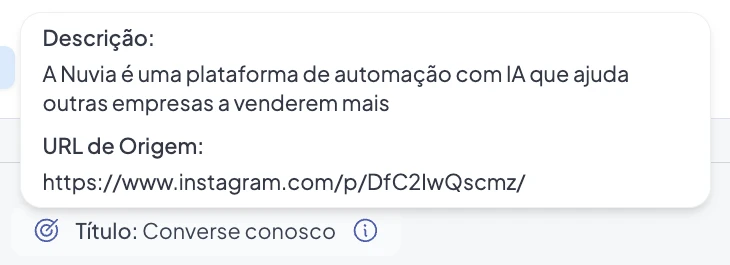
The same data comes through Nuvia’s MCP and API, together with the conversation. That lets you match ad and sale in your CRM or dashboard, as shown on the API, MCP and Webhooks page.
How to send the sale back to Meta with the Conversions API
The Conversions API (CAPI) is how you tell Meta what happened after the click. Without it, Meta only knows the chat started, so it optimizes for people who click, not people who buy.
In Nuvia, when the conversation moves forward in the Smart Funnel, the platform sends Meta the event for that stage. The source comes from the click ID (ctwa_clid) that Meta sends with the first message of the conversation. You choose the event for each stage:
| Event sent to Meta | When to use it in the funnel |
|---|---|
| View content | The lead showed initial interest |
| Lead captured | The lead shared contact details |
| Qualified lead | The AI agent qualified the lead |
| Add to cart | The lead picked a product or service |
| Initiate checkout | The lead started the purchase |
| Purchase | The deal closed (sent only with a value above zero and a currency) |
What you need to send conversions
- WhatsApp connected through the official API (Cloud API).
- A Meta dataset linked to the WhatsApp number. It’s opt-in: with no dataset, nothing goes to Meta.
- A conversion event chosen for each funnel stage that matters.
The feature is available on all plans. The result is simple: Meta starts showing your ad to people more likely to buy, not just to click.
How to make the most of up to 7 days
A short cadence, with a new reason at each touch, uses the window without wearing the lead out. The plan below is a suggestion, not data: adjust it to your sales cycle and stop as soon as the person buys or asks to opt out.
- Day 1
Reply right away
Understand what the person wants, ask the qualifying questions and send what they asked for: price, catalog or availability.
- Day 2
Send the proposal
Quote, payment link or booking link, with the product from the ad.
- Days 3 and 4
Remove the blocker
Delivery time, shipping, payment options or a customer review.
- Days 5 and 6Close
Remind with a new reason
Stock, this week’s offer or an answer to a common objection.
- Day 7
Close
A clear last call before the window closes. Those who didn’t buy move to nurturing, with templates, only when it makes sense.
Remember the window can last up to 7 days, counted from your first reply. Put the most important messages in the first days and don’t take the last day for granted.
Examples by industry
| Industry | What to do inside the window |
|---|---|
| E-commerce | Answer product questions, send the payment link and remind about the cart until the order is placed |
| B2B services | Qualify, send the proposal and book the meeting the same week |
| Clinics and aesthetics | Explain the procedure, book the appointment and confirm the day before |
| Education | Send the course schedule, answer payment questions and remind about the enrollment deadline |
On peak dates like Black Friday (November 27), the math is the same: a conversation that starts during the warm-up week can still be inside the window on the day of the sale, as long as no one is left without a reply. The Black Friday WhatsApp checklist has the timeline and ready-to-use messages.
How Nuvia turns the ad into a sale
Nuvia brings together the three parts: instant reply, follow-up until the sale and the sale back to Meta.
- Instant reply, 24/7. Nuvia’s AI agent, set up in the Smart Funnel, answers every ad conversation in seconds, including 11 pm on Saturday. The free window opens in every chat.
- Qualification and follow-up inside the window. The agent asks the right questions, sends the proposal, reminds and closes, from day 1 to day 7.
- Handoff to the team with context. When the lead asks for a person or reaches the closing stage, a rep takes over with the history and the source ad on screen.
- Source ad in the conversation. You see which ad brought each lead and which ones turned into sales.
- Conversions back to Meta. Each funnel stage sends the right event through the Conversions API, on all plans.
- No markup on Meta fees. Nuvia charges no markup on Meta’s costs: Meta’s fee is paid directly, at the official rate.
At peak volume, this makes a difference. At Easter, Chocolat du Jour handled 25,000 conversations in 8 days, with 91% of them run by AI and twice the WhatsApp revenue.
Customer service and reactivation of a historical customer base. At the Easter peak, WhatsApp demand grew fivefold and the channel doubled its revenue, with quality in sales and after-sales.
Read the storyFrequently asked questions
What are Click to WhatsApp ads?
They are Facebook or Instagram ads with a button that opens a WhatsApp chat with the business, instead of a website. On the official API, a conversation that starts from one opens a free messaging window that can last up to 7 days.
What does CTWA mean?
CTWA stands for Click to WhatsApp Ads, Meta’s ads that click to WhatsApp. The acronym shows up in Meta reports and in the click ID (ctwa_clid), which Nuvia’s Smart Funnel uses to know which ad started the conversation.
Can the Click to WhatsApp free window now last up to 7 days?
Yes. Since September 28, 2026, the free window for conversations started from a Click to WhatsApp ad can last up to 7 days; it used to be 72 hours. It counts from the business reply and applies only to the official API.
When does the free window start?
When the business replies. The customer’s message opens a 24-hour customer service window, and the business reply inside it opens the free window. If nobody replies within 24 hours, the free window never opens.
Does it work with the WhatsApp Business app?
No. The free ad window applies to conversations handled through the official API (WhatsApp Business Platform). The WhatsApp Business phone app doesn’t have this rule, as explained in Is WhatsApp Business free?
What happens when the window closes?
Meta charges again per delivered message, at the category rate, and the business needs a template to restart the chat. Nuvia charges no markup: the fee is paid directly to Meta at the official rate, and the rates are in the WhatsApp Business API pricing guide.
How do I know which Click to WhatsApp ad drove the sale?
By keeping the source ad on the conversation and sending the sale back to Meta through the Conversions API. In Nuvia, the chat shows the ad that brought the lead, and each funnel stage sends the conversion event to the Meta dataset linked to the number.


