
When a lead who has already talked to you sends a new message and there's no open conversation, Nuvia's default behavior is to create a new conversation: the agent gets a card with no context and the funnel starts over. With Reopen recent conversation turned on, the funnel reopens that contact's last conversation instead of creating another one, keeping the history and the stage where they left off.
How to turn it on
-
Open the Smart Funnel you want to set up.
-
Go to the Advanced tab.
-
Find the Conversations card and turn on the Reopen recent conversation toggle.
-
Set the period: a number and a unit (minutes, hours or days). When you turn on the toggle, Nuvia suggests 59 days — the maximum value. Adjust it to what makes sense for your operation.
-
Save the funnel.
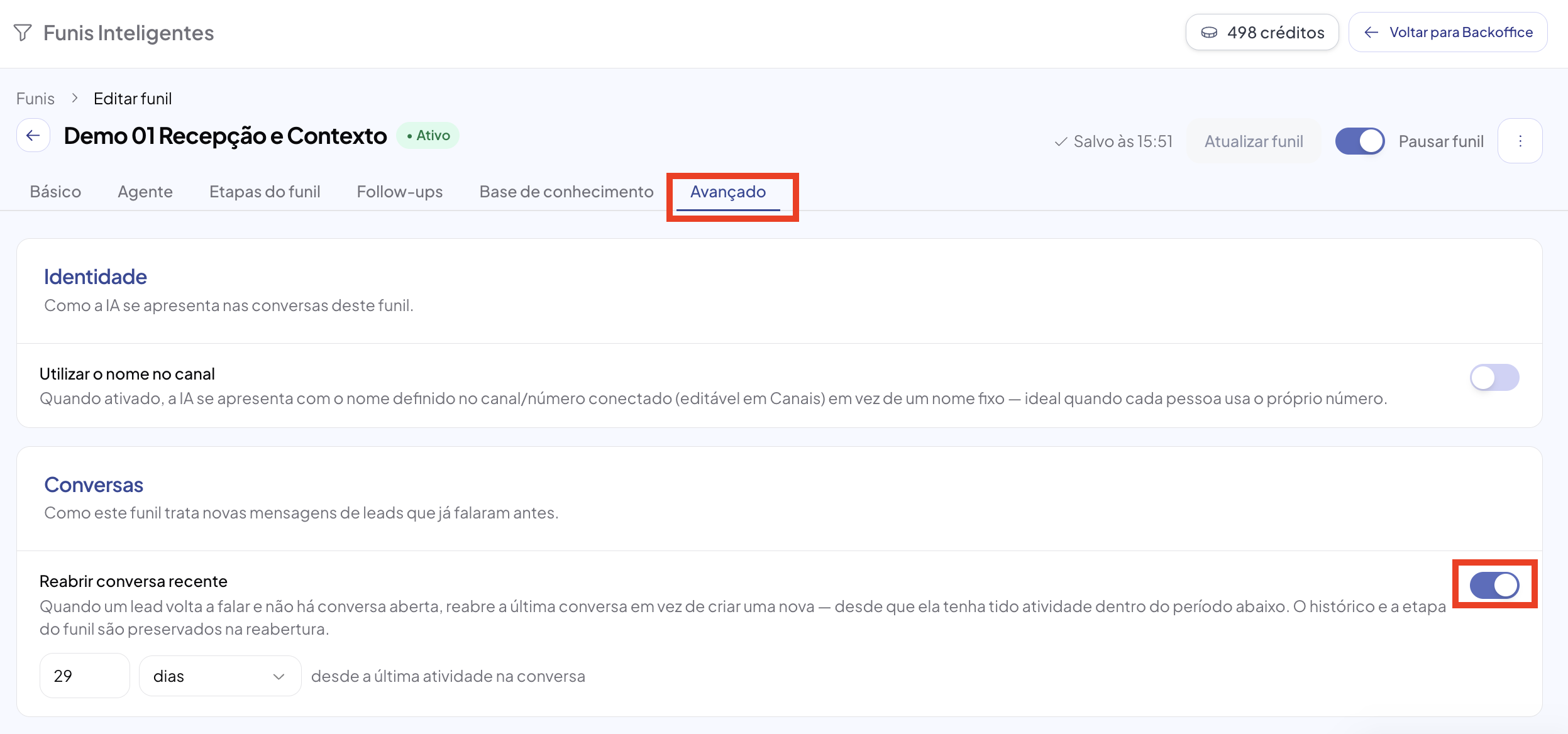
With the toggle off, the funnel keeps the old behavior: every message from a lead with no open conversation creates a new conversation.
The period: counted from the last activity
The period defines how long the previous conversation stays “warm” enough to be reused. It's counted from the last activity in the conversation — the last message exchanged, not the date it was created.
In practice: a conversation opened three weeks ago that had a message yesterday still fits a 2-day window. A conversation created yesterday with no activity since then also fits. What counts is how long ago it stopped.
Accepted values
| Unit | Minimum | Maximum |
|---|---|---|
| Minutes | 30 | 59 |
| Hours | 1 | 24 |
| Days | 1 | 59 |
When reopening happens
Three conditions must be true at the same time:
-
The message is inbound: the lead wrote to you on their own.
-
There's no open conversation with that contact in that inbox. If there is one, it's used normally and nothing changes.
-
There's a resolved conversation with that contact in that inbox, with activity within the configured period. The most recent one is chosen.
Where reopening does NOT apply
Reopening is only for spontaneous inbound. These still create a new conversation, as always:
-
Campaigns (WhatsApp and LinkedIn)
-
Sends coming from HubSpot or other integrations
-
Bulk template sends
-
Conversations created manually by an agent
What's kept when reopening
-
The entire message history: the agent opens the conversation and sees what has already been discussed.
-
The funnel stage the lead was in. They don't go back to the start of the flow.
-
The assignment and who was handling the conversation (Autopilot or a human).