
Rigid builders
- Starts with boxes, arrows, and exceptions
- Forces every path before you can test
- Hides the goal behind configuration
 Nuvia Agent Builder
Describe how your operation works in natural language. Nuvia organizes steps, knowledge, follow-ups, and integrations — without forcing you to draw every path in a rigid flowchart.
From first draft to simulation, you see how the agent behaves before you put it into conversations.
Tell the agent what to do, what to collect, when to advance, and when to bring in a person. Nuvia helps organize that logic into steps you can review and deepen.
Explain who the agent serves, what it needs to learn, and which outcomes it should produce. Structure reception, triage, qualification, scheduling, and outcomes into clear steps — each with complete instructions.
Set tone, required questions, advance criteria, and agent limits. When a person is needed, configure handoff to the right team.
Feed the Knowledge Hub with text, documents, URLs, and media so the agent uses real product, policy, and process information while chatting.
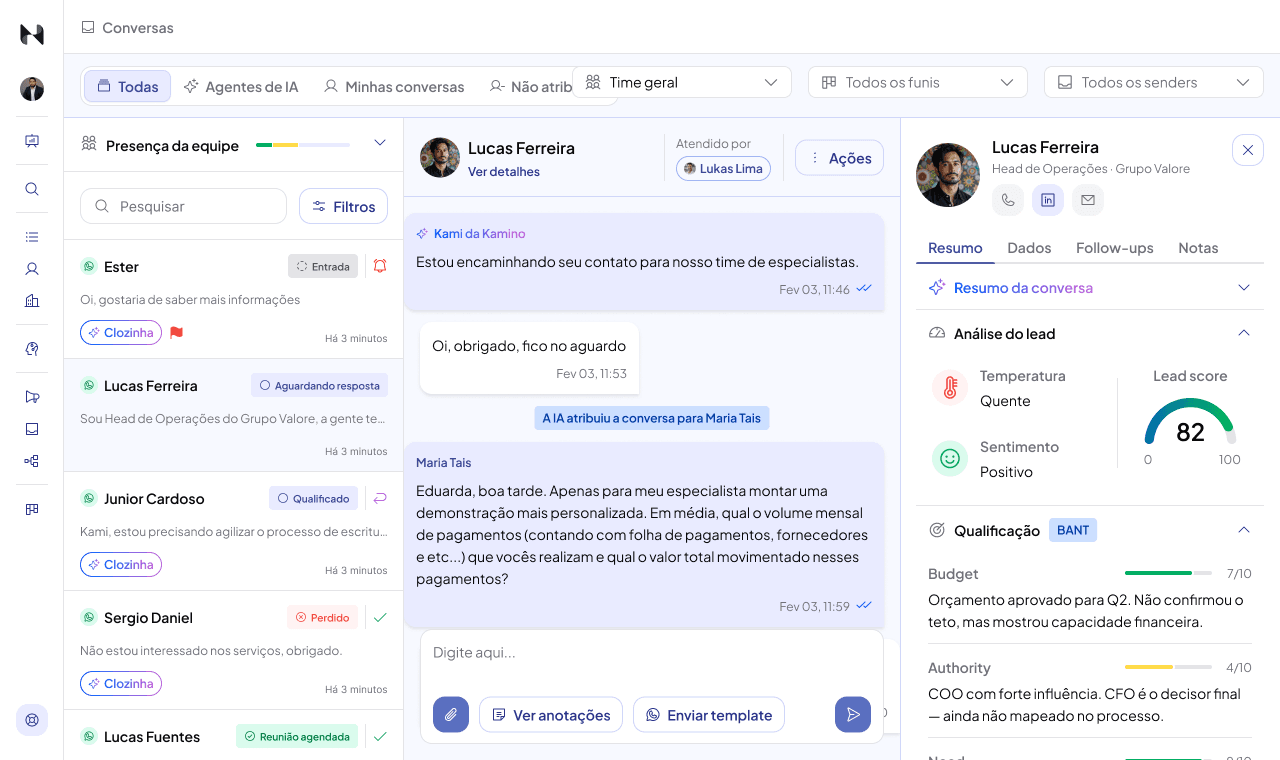
Collect data, qualify opportunities, schedule meetings, set follow-ups, and define what happens at each transition. If a contact stalls, the conversation can resume under your rules.
Fields and criteria inside the chat — no separate form.
Resume stalled contacts with defined timing and message.
Google Calendar as the next step in the conversation.
Update the pipeline, schedule in Google Calendar, hand off to a person, and on applicable plans sync data with CRM, API, or webhooks.
CRM, API, and webhooks depend on plan (HubSpot/RD on Pro; Salesforce and HTTP-in-flow on Growth+).
Test how the agent replies, collects information, advances steps, and transfers. Use the results to revise instructions and knowledge before go-live.
Three depth examples — not three products.
Agent answers questions, collects data, and calls the team when needed — with knowledge, handoff, and context.
Agent qualifies before sales, schedules, and updates pipeline/CRM on applicable plans.
Agents per operation with integrations, permissions, and governance proportional to the plan.
No. The agent still has steps, transitions, follow-ups, and actions. The difference is you can start by explaining the process in natural language, without drawing every path in a rigid flowchart first.
Yes. The Knowledge Hub accepts text, documents, URLs, and media so the agent answers with real operational information.
Yes. You can configure collection, qualification, Google Calendar scheduling, and handoff to a person.
Yes. Use simulation to see how the agent behaves, advances steps, and hands off before publishing.
It depends on the plan. HubSpot and RD Station appear on Pro; Salesforce on Growth+. Don't treat CRM as universal.
Yes. The operation supports human handoff and takeover with conversation context available to the team.
Start by explaining your process and try the Builder now. If your operation needs integrations, multiple teams, or assisted rollout, talk to Nuvia.


